How to hide your IP address?
Today, keeping your online activity private is more important than ever. One key way to protect your privacy is by hiding your IP address. But what exactly does this mean, and how can you do it?
In this blog, we’ll break down what an IP address is, why you might want to hide it, and the different methods you can use to stay anonymous online.
By the end of this post, you’ll have a clear understanding of how to hide your IP address and why it matters.
What is an IP address?
An IP address (Internet Protocol address) is a unique string of numbers that identifies your device on the Internet. It’s like your computer’s home address—when you send or receive data online, your IP address tells websites and services where to send the information.
There are two main types of IP addresses:
1. Public IP address: This is the address assigned to your device by your Internet Service Provider (ISP). It can be used to track your online activity.
2. Private IP address: This is used within your home or office network and is usually hidden from the outside world.
While your private IP address isn’t exposed to the internet, your public IP address can reveal a lot about you, such as your general location and the websites you visit.
Why would you want to hide your IP address?
There are several reasons why people choose to hide their IP addresses:
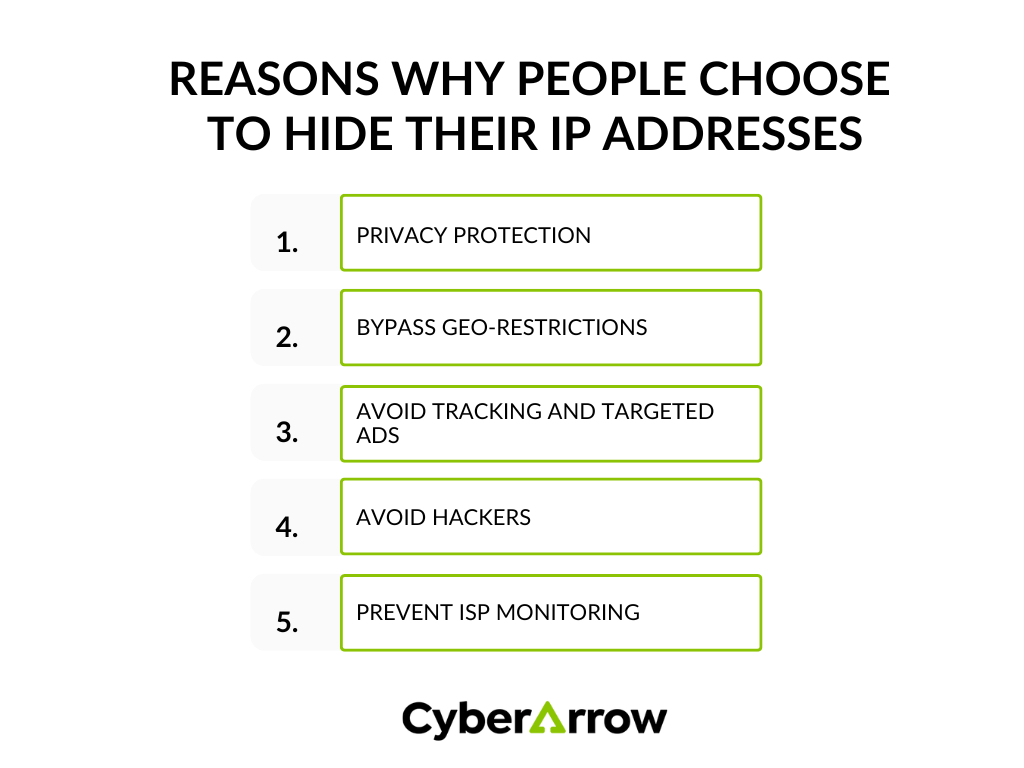
1. Privacy protection: Your IP address can be used to track your online activity. If you don’t want websites or advertisers to know what you’re doing online, hiding your IP address can help.
2. Bypass Geo-restrictions: Some websites and online services are only available in certain countries. By hiding your IP address, you can access content that might otherwise be blocked in your region.
3. Avoid tracking and targeted ads: Advertisers and marketers often use IP addresses to track your browsing habits and show you targeted ads. Hiding your IP address can reduce the amount of personal data that gets collected about you.
4. Avoid hackers: Cybercriminals can use your IP address to find vulnerabilities in your network. By hiding it, you make it harder for hackers to target your device.
5. Prevent ISP monitoring: Your Internet Service Provider (ISP) can monitor and log your online activity. If you want to keep your browsing habits private, hiding your IP address is a good step.
Methods to hide your IP address
There are several ways to hide your IP address, each with its pros and cons. Let’s explore some of the most popular methods.
1. Use a Virtual Private Network (VPN)
A Virtual Private Network (VPN) is one of the most effective ways to hide your IP address. A VPN works by creating a secure, encrypted connection between your device and a remote server. When you use a VPN, all your internet traffic is routed through this server, which assigns you a new IP address. This makes it look like you’re browsing from a different location.
Benefits of using a VPN:
- Anonymity: A VPN hides your real IP address and assigns you a new one, making it hard for anyone to trace your online activity.
- Encryption: VPNs encrypt your data, which means your online activity is hidden from hackers, ISPs, and other third parties.
- Access to restricted content: VPNs allow you to bypass geo-restrictions, giving you access to websites and services that are blocked in your region.
How to use a VPN:
- Choose a reputable VPN service (many offer paid and free options).
- Download and install the VPN software on your device.
- Open the VPN app and select a server in the location of your choice.
- Once connected, your IP address will be hidden, and your online activity will be encrypted.
2. Use a proxy server
A proxy server acts as an intermediary between your device and the internet. When you connect to a proxy server, your IP address is replaced with the server’s IP address. This helps hide your identity while browsing online.
Benefits of using a proxy server:
- Hides your IP address: Like a VPN, a proxy server masks your IP address by replacing it with the server’s IP address.
- Fast and easy to set up: Proxy servers are often quicker to set up than VPNs and can be a good option for basic browsing.
How to use a proxy server:
- Choose a proxy service and configure it in your browser or device settings.
- Once connected, your IP address will be replaced with the proxy server’s address.
However, it’s important to note that proxy servers don’t encrypt your data. While they hide your IP address, your online activity may still be visible to ISPs, hackers, or other third parties.
3. Use the Tor browser
The Tor browser is a free tool designed to help you browse the internet anonymously. It works by routing your traffic through a network of volunteer servers, called “nodes.” Each time you visit a website, your data passes through several nodes, making it nearly impossible to trace your activity back to your IP address.
Benefits of using the Tor browser:
- High anonymity: The Tor network provides multiple layers of privacy by routing your data through several nodes, making it extremely difficult to track your IP address.
- Free to use: Tor is a free tool, making it accessible to everyone who wants to protect their privacy.
How to use the Tor browser:
- Download the Tor browser from the official Tor Project website.
- Install the browser on your device.
- Open the browser and start browsing anonymously.
However, because Tor routes your traffic through multiple nodes, it can be slower than other methods like VPNs or proxies.
4. Use mobile data
If you’re concerned about your IP address being tracked, one quick way to change it is by switching from Wi-Fi to mobile data. When you connect to the internet using your cellular network, your mobile provider assigns you a new IP address.
Benefits of using mobile data:
- Quick IP change: Switching to mobile data gives you a new IP address instantly.
- No setup required: You don’t need to install any additional software or services.
However, this method only changes your IP address temporarily and may not be ideal for long-term privacy.
How not to hide your IP address
While it’s essential to know how to hide your IP address, it’s just as important to know what won’t work:
- Incognito mode: Using incognito or private browsing mode in your browser will not hide your IP address. It only prevents your browser from saving your browsing history.
- Clearing cookies: Deleting cookies can help protect your privacy, but it doesn’t change or hide your IP address.
Read also: What is tailgating?
The importance of hiding your IP address
Hiding your IP address can significantly improve your online privacy and security. Whether you’re trying to avoid hackers, protect sensitive information, or access restricted content, taking steps to hide your IP address is a crucial part of staying safe online.
However, simply hiding your IP address isn’t enough to protect your organization from all cyber threats. Cybercriminals use sophisticated tactics, and employees need to be aware of how to stay secure in the digital world.
Turn your employees into human firewalls with CyberArrow Awareness Platform
While hiding your IP address can protect your privacy, it’s only one part of a much larger cyber security strategy. To fully safeguard your organization from cyber threats, it’s essential to ensure that your employees are trained to recognize and respond to potential attacks.
The CyberArrow Awareness Platform is designed to transform your employees into human firewalls. With regular training, your team will learn how to stay safe online, recognize phishing attempts, and follow best practices for cyber security. By automating this training, CyberArrow ensures that your employees are always up to date on the latest threats and how to avoid them.
See what Silal has to say about CyberArrow Awareness Platform: