What happens after your device gets infected with malware?
When you hear the word malware, you might think of a computer slowing down or a pop-up that won’t go away. But malware is much more dangerous than that. It’s one of the biggest threats to your devices, business, and personal life.
Malware is short for malicious software. It includes viruses, spyware, ransomware, worms, and trojans. These programs are created by hackers to steal your information, lock your files, or damage your system.
But what actually happens after malware infects your device? That’s what we’re going to explain in this blog step by step. You’ll also learn how to protect your business using smart training tools like the CyberArrow Awareness Platform, which helps your team stop attacks before they happen.
What is malware?
Before we talk about what happens next, let’s quickly explain what malware is.
Malware is any software made to harm, steal, or spy. It can infect your computer, phone, tablet, or even smart devices. Cybercriminals use malware to get money, steal private information, or take control of your systems.
Some common types of malware include:
- Viruses: Spread from one file or device to another.
- Trojans: Hide inside fake programs or apps.
- Ransomware: Locks your files until you pay money.
- Spyware: Watches what you do and sends it to hackers.
- Worms: Copy themselves and spread fast across networks.
How does malware get into your device?
Malware often sneaks in without you knowing. It might come from:
- Clicking on a bad link in an email (phishing).
- Downloading fake apps or software.
- Visiting unsafe websites.
- Plugging in infected USB drives.
- Not updating your software.
All it takes is one wrong click.
What happens right after infection?
1. Malware installs itself silently
Once you click or download something harmful, the malware installs itself quietly in the background. You may not notice anything at first.
Malware is built to stay hidden, so it doesn’t show up as a normal app. It might run under fake names or use system files to hide.
2. It disables your security tools
The next step for many malware types is to turn off your antivirus software, firewall, or updates. This makes it easier for the malware to stay on your device without being caught.
Some malware also blocks websites related to security or stops you from downloading help tools.
3. It connects to a hacker’s server
Most malware connects to something called a command and control (C&C) server. This is a remote system run by the hacker. From here, the hacker can give commands to the malware and collect stolen data.
This connection lets the hacker:
- Steal your files.
- Upload more malware.
- Watch what you type.
- Take screenshots.
- Control your device remotely.
The damage malware can do
Let’s break down the different ways malware can hurt you after it takes over your device:
A. Steals your information
Some malware is designed to steal your personal data. This includes:
- Passwords.
- Banking info.
- Emails and messages.
- Social security numbers.
- Company documents.
It can even log every key you press, called a keylogger.
This stolen information is often sold on the dark web or used to break into more systems.
B. Slows down or crashes your system
Many types of malware use a lot of your device’s power. This can make your system:
- Run slowly.
- Freeze often.
- Restart by itself.
- Overheat.
Some malware even deletes system files, which can make your device stop working completely.
C. Locks your files with ransomware
One of the scariest types of malware is ransomware. It locks your files and demands money to unlock them.
You might see a scary message saying, “Your files are encrypted. Pay $500 in Bitcoin to get them back.” Even if you pay, there’s no guarantee you’ll get your files.
D. Spreads to other devices
Worms and some trojans can spread to other devices on the same network. This is very dangerous for businesses, where one infected laptop could infect the whole office.
The malware may use shared folders, emails, or remote access tools to move from one system to another.
E. Turns your device into a bot
Some malware turns your device into a bot. This means hackers can use your computer as part of a larger attack called a botnet.
Botnets are used to:
- Send spam emails.
- Launch DDoS attacks (flooding websites to shut them down).
- Mine cryptocurrency (using your computer power).
And the worst part? You might not even know your device is being used like this.
Quick link: What is spyware?
How can malware hurt a business?
For businesses, one malware infection can lead to:
- Data breaches.
- Loss of customer trust.
- Fines for breaking data privacy laws.
- Work delays or system shutdowns.
- Big costs for repair and recovery.
Most attacks begin with human mistakes, like an employee clicking a phishing email. That’s why employee training is just as important as antivirus software.
How to recover from a malware infection
If your device is infected with malware, act fast:
1. Disconnect from the internet
This helps stop the malware from spreading or sending data.
2. Run a full antivirus scan
Use trusted antivirus software to find and remove malware.
3. Change all your passwords
Do this from a clean device, not the infected one.
4. Report the attack
Let your IT team know. If it involves personal data, report to local data privacy regulators.
5. Restore from backup
If you have safe backups, use them to restore clean files.
How to prevent malware infections
The best way to fight malware is to stop it before it gets in. Here are simple steps your business can take:
- Keep all software updated.
- Use strong antivirus protection.
- Don’t download files from unknown sources.
- Use firewalls to block threats.
- Never click on strange emails or links.
- Train employees regularly on cyber safety.
Why do you need CyberArrow Awareness Platform
Even with strong tools, the biggest risk is human error. One mistake can let malware into your entire network.
CyberArrow Awareness Platform helps your business:
- Train your staff automatically on how to spot malware and phishing.
- Run real-world simulations to see how employees respond to threats.
- Track progress and risk levels across your team.
- Turn employees into human firewalls who know what to do.
- Meet compliance standards for cyber security awareness.
CyberArrow makes training simple, fun, and powerful. Whether your team is tech-savvy or not, they’ll learn how to stop malware before it spreads.
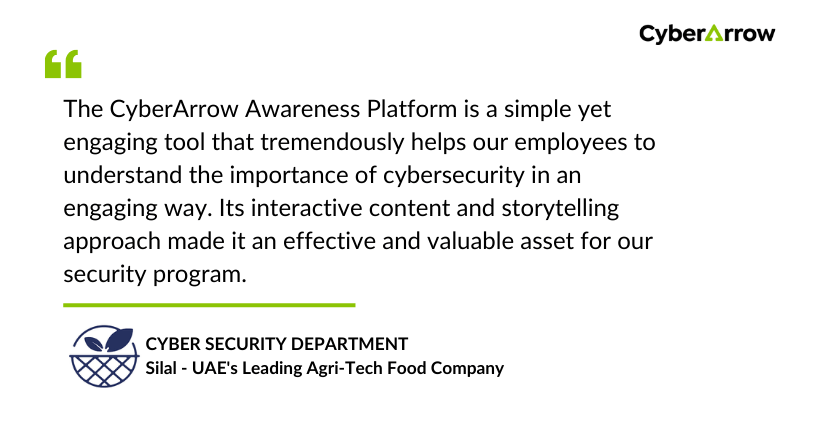
Read how CyberArrow awareness platform increased security awareness among Silal’s employees.
See what Silal has to say about CyberArrow Awareness Platform:
Final thoughts
Malware can sneak into your device silently and cause serious damage, like stealing your data, locking your files, or taking over your system. The results can hurt your business, cost you money, and put your customers at risk.
But here’s the good news: most malware infections start with human error, and that means they can be prevented with the right training.
That’s why tools like CyberArrow Awareness Platform are so important. It helps build a cyber-smart workforce ready to defend your company from every type of threat.