What is adware in cyber security?
Pop-ups. Random ads. Slower devices. Annoying website redirects. These are just a few signs your device might be infected with adware.
Adware may sound like a small problem, but in cyber security, it can become a gateway to bigger attacks. It affects not only personal computers but also puts businesses at risk of data theft, malware infections, and system downtime.
In this blog, you’ll learn what adware is, how it works, different types of adware, risks involved, and how to prevent it. And how the CyberArrow Awareness Platform helps protect your organization by training employees to recognize and avoid adware threats.
Let’s break it down in simple terms.
What is adware?
Adware is short for advertising-supported software. It’s a type of software that displays unwanted ads on your device. It often sneaks in without your knowledge, usually by bundling itself with free software or fake downloads.
In cyber security, adware is considered a potential threat. While some forms of adware are just annoying, others are dangerous and can:
- Track your online behavior.
- Steal personal information.
- Redirect you to fake or harmful websites.
- Open doors to more serious malware infections.
How does adware get on your device?
Adware gets installed in sneaky ways. Here’s how it usually happens:
Software bundling
You download a free app or program. Adware is hidden in the download file. When you install the app, the adware installs too, without you noticing.
Fake updates
You see a pop-up saying “Update your video player” or “Download this security patch.” But it’s not real, it’s adware pretending to be useful.
Malicious websites
Some websites are designed to push adware onto your device the moment you click a link or ad.
Clickbait downloads
“Free movie,” “Free game,” or “Win a prize” downloads often come with unwanted adware inside.
Signs you might have adware
Here are the most common signs that your device is infected:
- Pop-up ads show up even when your browser is closed.
- Your homepage or search engine has changed without your permission.
- Your device is slower than usual.
- New browser extensions appear that you didn’t install.
- You keep getting redirected to strange or unsafe websites.
- Your battery drains faster (on mobile devices).
If you see any of these signs, you might have adware on your system.
Types of adware
Let’s look at the most common types of adware in cyber security:
1. Browser hijackers
These change your browser settings, like your homepage or search engine, and redirect you to sites filled with ads or dangerous links.
2. Pop-up adware
This floods your screen with pop-up windows promoting fake deals, tools, or downloads. Some pop-ups can even install malware if clicked.
3. Spyware-enabled adware
This kind of adware secretly tracks your online behavior and sends the data to attackers. It’s often used to build targeted phishing attacks later.
4. Mobile adware
Affects smartphones and tablets. These ads appear even when you’re not using an app. In some cases, they can access your location, contacts, or other sensitive data.
5. Program launchers
These launch ads every time you open certain apps. Some are hidden deep in your system files, making them harder to remove.
Why is adware dangerous?
Many people think adware is just annoying. But in cyber security, adware can be a major risk:
1. Privacy invasion
Adware often tracks what you do online, what sites you visit, what you click, and even your location or search history.
2. Leads to malware
Some adware serves as a gateway for viruses, ransomware, or trojans. One click on a fake ad can infect your system.
3. Business disruption
If adware infects company devices, it can:
- Slow down systems.
- Interrupt operations.
- Open paths for hackers to enter company networks.
4. Reputation damage
Imagine your company emails customers fake ads or sends malware without knowing. Adware can make this happen.
5. Legal risks
Some industries require strong cyber security. Adware infections could put your business out of compliance with regulations like GDPR, ISO 27001, or NIS2.
How to protect your organization from adware
Cyber security is not just about firewalls and antivirus software. People are the most targeted and most vulnerable part of the system.
Here’s how to reduce adware risks:
Train your team with CyberArrow Awareness Platform
Employees are often tricked into downloading adware. CyberArrow helps by automating cyber security awareness training, so your team learns how to:
- Recognize suspicious links.
- Avoid unsafe downloads.
- Spot fake ads and pop-ups.
- Understand browser safety and software hygiene.
Use strong antivirus and anti-adware tools
Use trusted cyber security software to scan devices regularly and remove threats.
Be careful with free software
Only download programs from trusted sources. Check for checkboxes that say “install additional software” and uncheck them.
Keep software updated
Outdated apps can have security holes. Always install updates from official sources.
Block pop-ups and ads
Use browser extensions to block ads, pop-ups, and trackers.
Limit admin privileges
Don’t give every user the ability to install software. Limit access where possible.
How CyberArrow Awareness Platform builds human firewalls
CyberArrow Awareness Platform turns your team into your first line of defense.
It uses:
- Automated, role-based cyber security training.
- Phishing and social engineering simulations.
- Real-time risk reports and dashboards.
- Compliance tracking for GDPR, ISO, NIS2.
- Engaging content, quizzes, and case studies.
Instead of guessing who’s vulnerable, you get clear data on employee readiness. And your team gets ongoing micro-learning that’s easy to understand even for non-technical users.
This helps you stay secure, smart, and compliant.
Real-world example: Adware at work
Let’s say a team member at a company sees a pop-up ad offering a “free PDF editor.” They download it.
But the download installs adware that:
- Changes browser settings.
- Sends browsing data to a third-party server.
- Starts redirecting the user to fake invoice pages.
- Tries to install a banking trojan in the background.
Now your entire network is at risk, and it all started with a simple ad click.
With CyberArrow Awareness Training, that employee would have known:
- Never to download from an unknown source.
- How to spot adware traps.
- To report suspicious downloads to IT.
Prevention is cheaper and easier than recovery.
Read how CyberArrow awareness platform increased security awareness among Silal’s employees.
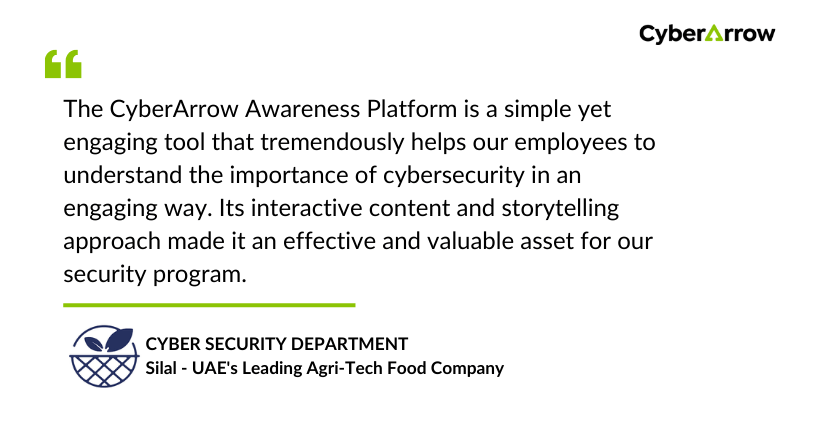
See what Silal has to say about CyberArrow Awareness Platform:
Final thoughts
Adware may seem small. But in the world of cyber security, it’s a silent danger that can lead to serious problems.
Whether you’re protecting a personal device or running an entire business, it’s important to understand adware, recognize the signs, and train your team.
The fastest way to protect your company?
Invest in your people.
CyberArrow Awareness Platform helps you build human firewalls through easy, automatic cyber security training so your team is ready for adware, phishing, and everything in between.